
AI Video Chat is online conversation where artificial intelligence responds through voice, video avatars, animated faces, or companion-style chat instead of connecting two real strangers on camera. Unlike normal random video chat, the person on the other side may be a chatbot, a digital avatar, a synthetic companion, or a business video agent.
Popular Alternatives:



That changes the whole experience. There may be no live human match, no public room, and no stranger waiting on the other side. Instead, users may talk to an AI character that can reply, remember details, speak with a voice, show a face, or appear as a realistic avatar.
However, the category is still developing fast. Some platforms offer real-time video agents. Others focus on AI companions with voice calls, selfies, avatars, or roleplay. Some tools create AI videos, but they do not always support true live conversation. Because of that, users should understand the difference before treating every avatar platform like real AI video chat.
Last Updated: May 2026
How This AI Video Chat Review Was Evaluated
This article looks at AI video chat from a practical user point of view. The focus is on how these tools work, how they differ, and what users should check before trusting the experience.
The main points considered include:
- Whether the tool supports real-time interaction
- Avatar quality and visual realism
- Voice calls, video calls, or talking-face features
- Memory, personalization, and companion-style chat
- Privacy controls and account requirements
- Pricing clarity where paid features may apply
- Whether the platform is built for consumers, creators, or businesses
Features in this category can change quickly. Therefore, users should always verify current access, pricing, app rules, and video features directly before paying or sharing sensitive information.
What AI Video Chat Means
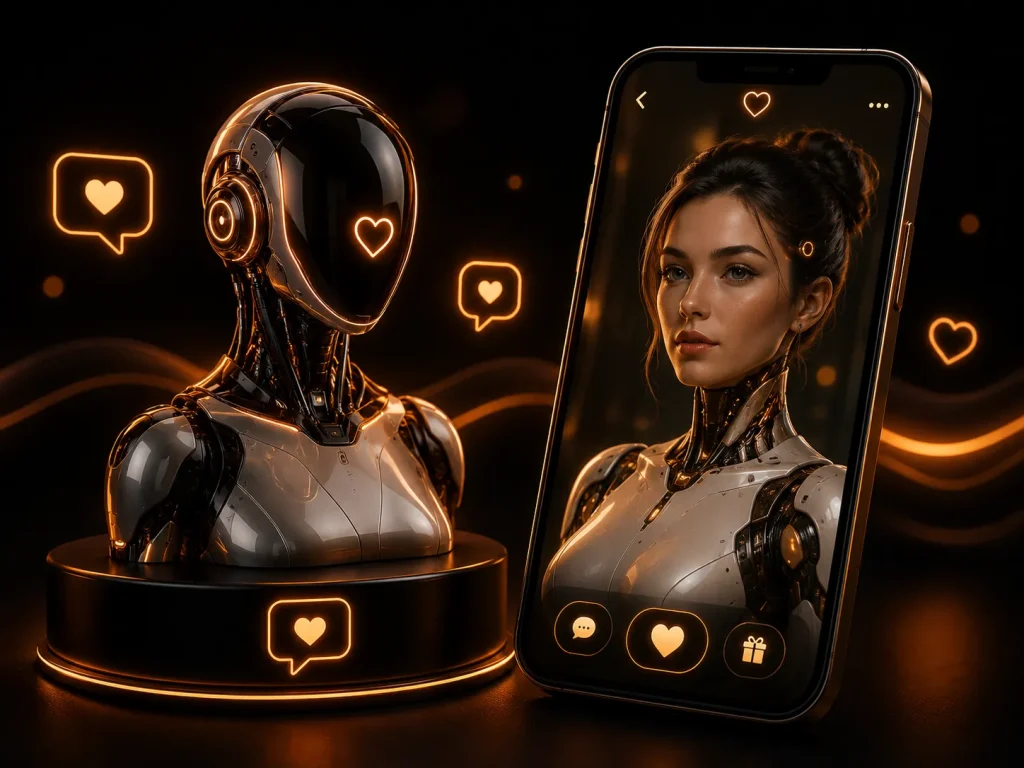
AI video chat refers to a digital conversation where an AI system appears through a video-like interface. That may include a talking avatar, animated companion, voice call with a visual character, or real-time digital human.
The key difference is simple. In normal random video chat, two real people usually connect through webcams. In AI-based video chat, the user may speak to software that creates responses in real time.
Some tools feel like AI companion apps. They may offer text, voice, avatars, memory, or emotional-style conversation. Others are more like business video agents that answer questions through a lifelike digital face.
There are also AI video generators. These can create avatar videos from scripts, images, or prompts, but not all of them allow live two-way conversation. That distinction matters.
How AI Video Chat Works
AI video chat usually combines several technologies. A chatbot creates the response. A voice system may speak the answer. Then an avatar or video layer gives the AI a face.
In stronger real-time tools, the system may listen, respond, and animate the avatar with lip sync or facial expressions. This can make the exchange feel more natural than plain text.
However, not every platform works the same way. Some AI companions offer voice calls but not true video calls. Others may show avatars or generate images without live face-to-face interaction.
That is why users should check the actual feature. A platform that says “AI companion” may not offer real-time video. Meanwhile, a business avatar tool may offer live video agents but not casual companion chat.
Why This Is Different From Stranger Chat
AI video chat is not the same as talking to strangers online. The other side may not be a human user at all.
In a normal video chat with strangers platform, the main risk comes from another person’s behavior. In AI chat, the risks are different. Users may overtrust the bot, share personal details, or forget that the conversation is processed by software.
There is also the issue of realism. A lifelike avatar can make a tool feel emotionally convincing, even when it has no real feelings or lived experience.
That does not make AI video chat useless. It only means users should approach it with a different mindset. The goal is not just to ask, “Who am I talking to?” The better question is, “What kind of system is responding?”
AI Companions vs AI Video Agents
AI companions are usually built for personal conversation. They may act like friends, partners, roleplay characters, coaches, or emotional support-style chatbots.
These tools often focus on memory, personality, voice, and long-term interaction. Some may include avatars, selfies, calls, or video-style features. However, the exact experience varies widely.
AI video agents are different. They are often built for customer support, sales, training, education, onboarding, or brand communication. These tools may show a realistic avatar that answers questions in real time.
A user looking for AI girlfriend chat or AI boyfriend chat may prefer a companion-style app. A business owner looking for a website assistant may prefer a video-agent platform.
Real-Time Avatars and Talking Faces
Real-time avatars are one of the most important parts of AI video chat. They give AI a face, voice, and visible presence.
A strong avatar may blink, move its mouth, show expressions, and respond with natural timing. That can make the interaction feel closer to a video call.
However, realism can also create confusion. A user may start reacting to the avatar as if it were a real person. That is especially true when the avatar uses a friendly voice and remembers details from past chats.
A good platform should make the AI nature clear. Users should know when they are talking to a synthetic character, not a real human.
Voice Calls Without True Video
Some AI platforms offer voice calls but not full live video. This still matters because voice can make a chatbot feel much more present.
Voice calls allow users to talk hands-free. The AI may respond through speech, tone, and pacing. That can feel more personal than text.
However, voice alone is not the same as AI video chat. If the avatar does not move in real time or appear in a live conversational interface, the experience is closer to AI voice chat.
Users should check whether the platform offers text, voice, generated images, avatar video, or true real-time face-to-face conversation. Those are different features.
AI Companions and Emotional Attachment
AI companion apps can feel personal because they may remember details, ask follow-up questions, and develop a consistent personality. This can make the conversation feel warm and familiar.
However, users should stay grounded. The AI may sound caring, but it does not understand life the way a real person does. It predicts responses based on data, prompts, and system design.
This matters when people use AI for emotional support, loneliness, romance, or adult roleplay. The tool may feel supportive, but it should not replace real human connection, professional help, or trusted relationships.
People exploring AI dating tools should treat them as simulated conversation. The experience can be entertaining, but it is not the same as a mutual human relationship.
Privacy Before Personal Confession
AI video chat can feel private, but users should not assume every conversation is risk-free. These tools may process text, voice, images, preferences, and interaction history.
Personal details should stay limited. Users should avoid sharing passwords, banking information, home addresses, workplace secrets, private documents, or sensitive identity details.
This also applies to voice and video. A user’s face, voice, room, and background may reveal more than typed messages.
A simple rule helps. If the information would feel risky in a public chat, it should also be treated carefully in an AI chat.
Camera, Voice and Avatar Safety
If a platform uses camera input, users should check what the AI can access. Some systems may use camera, microphone, screen, or uploaded images to create a more interactive experience.
That can be useful, but it also raises privacy concerns. A camera may show background items, location clues, documents, family photos, or work materials.
Voice also carries identity clues. Accent, background noise, and speech patterns can reveal more than expected.
Before using any anonymous chat feature with AI video, users should understand one thing: anonymity is weaker when video, voice, or uploaded images enter the experience.
Free vs Paid AI Video Chat
AI video chat can be expensive to run because it may use voice generation, avatar rendering, memory, and real-time processing. As a result, many platforms limit free access.
Some apps may offer free text chat but charge for voice calls, video calls, custom avatars, memory, or longer sessions. Others may offer trials before requiring a subscription.
Paid access can improve quality, but it does not guarantee a better emotional experience. A paid AI companion can still feel repetitive, limited, or unrealistic.
Users should test the free version first where possible. If the core conversation feels weak, paid video features may not fix the problem.
Best Platform Types for AI Video Chat
The best platform type depends on the user’s goal. A person who wants an AI companion may prefer Replika, Kindroid, Nomi, Talkie, Character.AI, or similar tools.
A creator or business user may prefer Tavus, D-ID, HeyGen LiveAvatar, Elai, or Synthesia-style avatar tools. These platforms focus more on digital humans, video agents, training, marketing, or interactive video.
Some tools sit between categories. They may offer avatar chat, voice interaction, or generated video without being a full AI companion app.
People looking for AI video chat should avoid judging every tool by the same standard. A companion app, a video agent, and an AI avatar generator solve different problems.
Comparison Table: AI Video Chat
| Platform | Best For | Free Version / Pricing | Main Strength | Key Limitation |
|---|---|---|---|---|
| Replika | Long-term AI companion conversations with text, voice, avatar, and video-style features | Free access may be available with paid upgrades | Established companion app with a strong personal-chat angle | Some deeper features may require payment |
| Kindroid | Custom AI companions with personality, memory, voice, and richer roleplay-style interaction | Subscription details may change; users should verify current pricing | Strong customization for personal AI characters | Video features and access may depend on app version or plan |
| Character.AI | Large character library for roleplay, stories, calls, and creative AI conversations | Free access may be available with optional paid features | Huge range of user-created characters | Real-time video features may differ from normal chat features |
| Nomi | Emotional-style AI companion chat with memory, voice, and group-style AI conversations | Free and paid access may vary | Strong companion focus with voice interaction | Not every user looking for live video will find the same feature depth |
| Talkie | AI character discovery, creative roleplay, and persona-based conversations | Free access may be available with in-app purchases | Large creative character-chat environment | Video depth may vary by app version and feature set |
| Mel AI Companion | Real-time AI video chat with companion-style interaction | Access and pricing may vary by app store and region | Built around live AI video conversation | Newer app category, so quality and features may change quickly |
| Tavus | Building face-to-face AI video agents and digital replicas | Pricing and API access should be checked directly | Strong real-time conversational video-agent focus | Better suited to developers and businesses than casual users |
| D-ID Agents | Visual AI agents for websites, support, learning, and interactive business use | Pricing may vary by plan and use case | Lifelike avatar agents with real-time conversation tools | More business-focused than companion-focused |
| HeyGen LiveAvatar | Real-time avatar conversations for websites, support, onboarding, and branded experiences | Pricing and access may vary | Strong avatar realism and business presentation angle | Not mainly built as a casual stranger-chat platform |
| Elai Real-Time Video Chat | AI-powered avatars that respond in real time for interactive sessions | Pricing and access should be verified directly | Useful for training, support, and multilingual avatar chat | More professional than social or companion-focused |
| Synthesia | AI avatar videos, interactive video experiences, and business content creation | Free plan or trials may vary by region and product | Strong AI video generation and avatar content tools | Not always a live two-way companion chat tool |
| Soul Machines | Digital humans and embodied AI agents for business-style interaction | Current availability should be verified directly | Strong digital-human concept and interactive avatar history | Operational status and service access may change |
How to Choose the Right AI Video Chat Platform
Choosing the right tool starts with the use case. A person who wants companionship should not pick a business avatar API. A company that needs a website assistant should not choose a casual character app.
Next, users should check whether the platform offers true live interaction. Some tools create videos from scripts, while others respond in real time.
The avatar style also matters. Some users prefer realistic human faces. Others may prefer anime, stylized characters, or simple voice-based companions.
A good choice should match the user’s comfort level. The most realistic avatar is not always the best option.
Common Drawbacks and Limits
AI video chat can feel impressive, but it has limits. Responses may repeat, misunderstand context, or sound more confident than they should.
Avatars can also fall into the “almost human” problem. They may look real enough to feel personal but still behave strangely when timing, emotion, or memory fails.
Another drawback is cost. Real-time video, voice, and avatar rendering may require paid access.
Finally, users should remember that AI does not have real consent, emotions, or human judgment. A platform may simulate warmth, but it is still software.
AI Video Chat for Adults
Some adults may use AI video chat for flirtation, companionship, roleplay, or adult-themed conversations. That does not remove the need for caution.
Users should check platform rules before assuming adult content is allowed. Policies can vary widely, and features may change over time.
Privacy matters even more in adult use. Users should avoid sharing real names, private photos, personal accounts, or sensitive details.
People comparing AI companions with 18+ video chat should understand the difference. One involves AI simulation. The other may involve live human webcam interaction.
AI Companions vs Human Video Chat
AI companions can be available at any time. They do not get tired, reject calls, or require another human to be online.
That convenience can feel useful, especially for casual conversation or low-pressure roleplay. However, it also creates a risk of overattachment.
Human video chat is unpredictable because another real person has their own thoughts, feelings, and boundaries. AI chat is different because the system is designed to respond.
People who still want real social interaction may prefer video chat with strangers or public chat communities. AI can be entertaining, but it should not replace every human connection.
AI Avatars for Business and Creators
Business AI video tools focus on a different goal. They help companies create digital agents, training avatars, product explainers, onboarding assistants, or support interfaces.
These tools may allow a visitor to ask questions and receive answers from a lifelike avatar. That can feel more engaging than a text chatbot.
Creators may also use avatar tools to make videos without filming themselves. A script, voice, and avatar can turn written content into a video-style presentation.
However, not every business avatar tool is a chat platform. Some are closer to AI video production than live conversation.
Real-Time vs Generated Video
This distinction is important. Real-time AI video responds while the conversation is happening. Generated video is usually created after a prompt, script, or upload.
A generated avatar video can look polished, but it may not let users speak freely with the AI. It may be better for content creation, training, or marketing.
Real-time video feels more like a call. It can respond to questions, change direction, and continue a conversation.
Users should check this before paying. A tool may look like AI video chat in demos but function more like an AI video generator in practice.
Safety Tips Before Talking to an AI Avatar
Users should start with limited information. A first conversation does not need real names, private stories, or sensitive details.
They should also check account settings. Memory, saved chats, voice data, image uploads, and subscription controls should be understood before heavy use.
If a platform uses camera or microphone access, users should review browser or app permissions. Turning access off should be simple.
Finally, users should stay emotionally grounded. A friendly avatar can feel real, but it remains a designed system.
What Not to Share
Users should not share passwords, banking details, ID numbers, home addresses, workplace secrets, or private documents in AI video chat.
Personal photos and voice recordings should also be handled carefully. Once uploaded, users may not fully control how data is processed or stored.
Sensitive emotional information deserves caution too. It may feel easy to confess to an AI, but users should still think about where that information goes.
A good AI experience should not require personal exposure. Users can test the tool with light conversation first.
Signs an AI Video Chat Tool Is Not Worth Using
Some warning signs appear quickly. A platform may make exaggerated claims, hide pricing, push subscriptions too early, or fail to explain what its video feature actually does.
Poor controls are another concern. Users should be able to manage memory, delete chats, control camera access, and understand what data is saved.
A tool may also feel too manipulative. If it pressures users emotionally, pushes constant upgrades, or makes unrealistic promises, caution is needed.
A better platform explains limits clearly. It should not pretend an AI companion is the same as a real person.
FAQs: AI Video Chat
What is AI Video Chat?
AI Video Chat is online conversation where artificial intelligence responds through a voice, avatar, talking face, or video-style interface instead of connecting two real people on camera.
Is AI Video Chat the same as random video chat?
No. Random video chat usually connects real users. AI video chat connects a user with an AI companion, avatar, video agent, or synthetic character.
Does every AI companion offer video chat?
No. Some AI companions offer text and voice only. Others may include avatars, video calls, selfies, or real-time visual features.
Can AI video chat feel realistic?
Yes, it can feel realistic when the avatar, voice, memory, and response timing work well. However, users should remember that the system is not a real person.
Is AI Video Chat safe?
It can be safer when users protect personal details, manage camera permissions, and understand the platform’s data controls. Still, privacy risk remains.
Can users stay anonymous with AI video chat?
They can limit what they share, but voice, camera input, images, and personal stories may still reveal identity clues.
What should users avoid sharing with AI avatars?
Users should avoid passwords, banking details, ID numbers, home addresses, workplace secrets, private documents, and sensitive personal images.
Is AI Video Chat free?
Some platforms offer free access or trials. However, voice, video, memory, custom avatars, or longer sessions may require payment.
What is the difference between an AI companion and an AI video agent?
An AI companion focuses on personal conversation. An AI video agent often supports business tasks such as customer service, training, sales, or onboarding.
Can AI Video Chat replace human interaction?
It can provide entertainment or support-style conversation, but it should not replace real human relationships, professional help, or trusted social support.
Are AI video generators the same as AI video chat tools?
Not always. AI video generators create videos from scripts or prompts. AI video chat tools respond in real time during a conversation.
Can AI avatars be used for adult conversations?
Some platforms may allow adult-themed interaction, while others restrict it. Users should check current platform rules before assuming anything.
Which platforms fit AI Video Chat better than random chat sites?
AI companion apps, real-time avatar tools, video-agent platforms, and digital human tools fit better than traditional stranger-chat platforms.
What should users check before paying?
Users should check whether the tool supports true live video, voice calls, memory, avatar control, privacy settings, and clear cancellation options.
What is the best way to use AI Video Chat safely?
The safest approach is to start with light conversation, avoid sensitive details, manage permissions, verify settings, and remember that the avatar is software.
Final Verdict: AI Video Chat
AI video chat is best for users who want digital companions, talking avatars, real-time AI agents, creative character interaction, or business-style visual assistants. Its main strengths are availability, personalization, visual presence, and the ability to create a face-to-face feeling without another human being online.

However, the category is still uneven. Some platforms offer real-time avatar interaction, while others focus on voice calls, generated videos, AI selfies, or text-based companions. As a result, users should check the actual feature set before paying or sharing personal information.
AI companion apps may suit people who want personal conversation. Video-agent platforms may suit creators, developers, and businesses. Avatar video tools may work better for content creation than live chat.
The best approach is to choose based on the real use case, start with limited information, manage camera and voice permissions, and stay clear about what is human and what is synthetic. With the right expectations, AI Video Chat can be useful, but users should treat AI Video Chat as a new kind of digital interaction rather than a normal human video call.